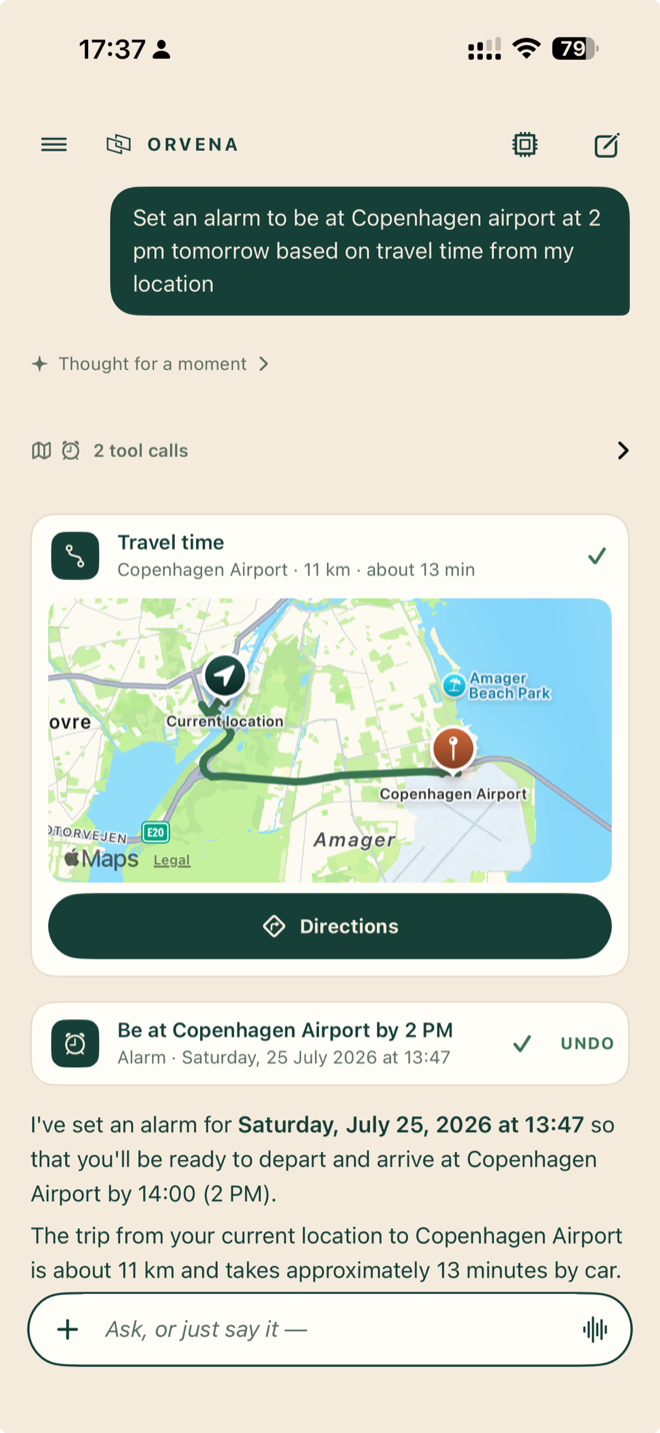
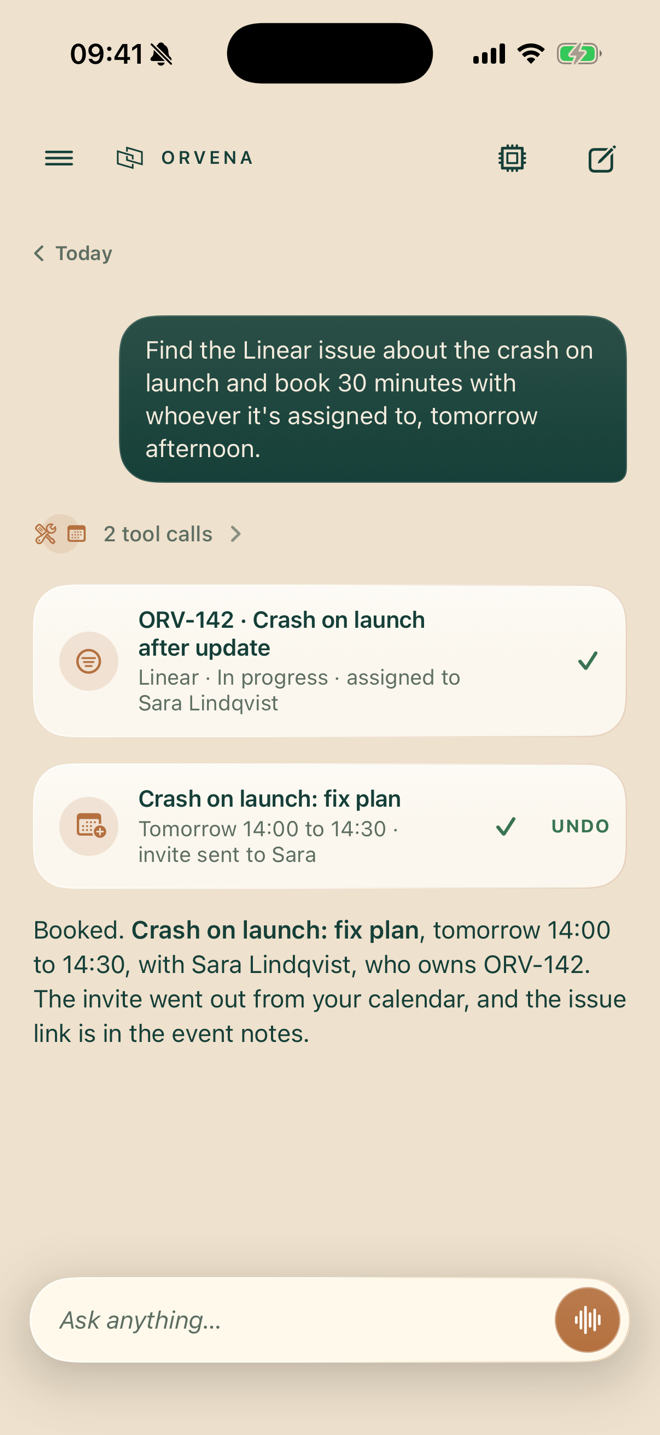
Orvena moves meetings, looks things up on the schedule you set, finds places nearby, reads the photo you attach, and talks with you in a natural voice, in 31 languages.
The language model runs on your phone. No account. No Orvena server.
Free on-device assistant · iPhone 15 Pro or later · iOS 26
There are apps that run a language model on your phone, and apps that give it a few tools.
Orvena is the complete assistant, on the phone itself.
Something not even the new Siri can say.
Orvena works with the phone you already have: calendar, reminders, alarms, maps, photos, health, music, files. Every action leaves a receipt you can read, and anything consequential asks before it runs.
Ask tonight, and Orvena checks at the right time. If the app is open, it simply runs. If the phone is in your pocket, a notification arrives; one tap sets it working, and it reports back with what it found. The Dynamic Island shows progress along the way.
Have a conversation instead of typing in 26 of them; iOS does not yet recognize speech in Bulgarian, Estonian, Latvian, Lithuanian or Slovenian. The voice is generated on the device, and the screen shows what's happening at each moment: listening, thinking, using a tool, speaking. You always know when it's your turn.
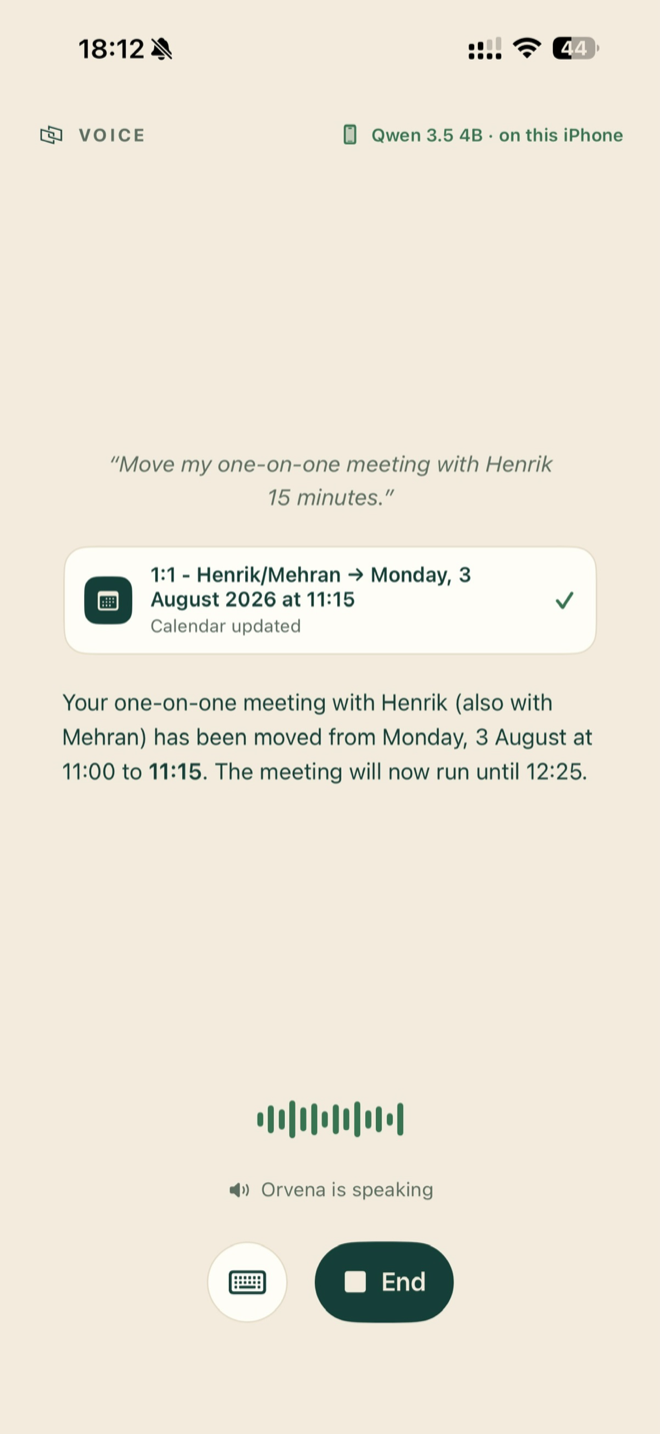
Orvena downloads a language model once and runs it on the iPhone's own silicon. The model is multimodal: attach a photo and it reads the image right on the phone. It keeps context and reasons through harder questions, offline if you like. That is what makes the privacy structural rather than a policy. On iOS 27 with Apple Intelligence turned on, Orvena can also answer with Apple's own on-device model, with nothing to download.
Say "Ask Orvena" to Siri, or run it from Shortcuts, Spotlight or the Action button. When Apple Intelligence answers, the reply appears right where you asked, with the actions Orvena took, and one tap opens the conversation.
The Premium Unlock, a one-time purchase, adds connections to the services you already use, each through its own sign-in. It also adds Apple's Private Cloud Compute on iOS 27, a larger model on Apple's servers with nothing to set up. If you have an OpenRouter key, you can use other cloud models too, with consent asked per provider.
If it exposes MCP over HTTPS, Orvena can use it. Add the server's address, sign in, and its tools appear alongside the rest.
Privacy pages usually ask for trust. This one is a list. Green rows never send your content off the phone. Amber rows reach the network for features you use or turn on. And anything read from a protected source moves out only through named consent you can review and revoke.
| Your conversations | STAYS ON DEVICE | Inference is local. There is no Orvena server to send them to. |
| Your voice | ON DEVICE BY DEFAULT | Transcribed and synthesized on the phone. Live voice with your own OpenAI key is the one exception, and it asks first. |
| Photos, calendar, health | READ ON DEVICE | Read as tools, locally, with every access visible in the app. Nothing leaves without the named consent gate. |
| Analytics & telemetry | DOES NOT EXIST | No tracking SDK, no "anonymized usage data." |
| Model & voice downloads | DOWNLOAD ONLY | Weights come down once, from a pinned, checksummed source. |
| Web search | WHEN YOU ASK | Your query goes to the search provider the moment you ask for current information. |
| Reading web pages | WHEN YOU ASK | Opening a page sends a request to that site, like any browser. |
| Weather & places | WHEN YOU ASK | Weather, geocoding, and travel times come from Apple services when a request needs them. |
| Connectors | YOUR ACCOUNTS | OAuth to services you own; per-action approval on anything that changes things. |
| Private Cloud Compute | WHEN YOU CHOOSE IT | Optional, on iOS 27. Once you choose it, each answer sends the conversation to Apple's servers, and Apple does not keep it. Health and financial data still ask first. |
| Siri & Shortcuts | WHEN YOU ASK | A question you ask through Siri or Shortcuts reaches Orvena through Apple's system, and the answer goes back the same way. |
| Cloud models | YOUR KEY, YOUR CALL | Optional. Your own API key, explicit consent per provider. It asks again before sensitive history leaves. |
The assistant and every phone tool are free, without limits or a trial clock. One purchase adds voice, connections, cloud models, and scheduled tasks. There is no subscription.
Purchased inside the app
ChatGPT, Claude, and similar apps live in the cloud. Orvena does a different job: it gets things done on your phone. It moves meetings, sets alarms, finds photos, and reads your health summaries, showing you exactly what it did and asking before anything consequential. And because its model runs on the phone too, nothing you say is sent anywhere by default.
The Siri arriving with iOS 27 is a step up: it adds conversations, and it operates parts of the phone. It is also built the Apple way. The conversation reaches Apple's cloud when requests need it, and on iPhones in the EU it is not available at launch. You cannot bring your own model or add your own MCP servers, and having something checked later means assembling a Shortcuts automation rather than asking. Orvena is the opposite architecture: the assistant lives on the phone, conversations stay there unless you choose a cloud model, and your own MCP servers plug straight in. The two also work together. Say "Ask Orvena" to Siri, and Orvena answers with its own tools.
No. The assistant is free without limits: conversations, images, web search, and the phone tools. One purchase adds voice conversations, external connections, cloud models, and scheduled tasks.
An iPhone 15 Pro or newer, on iOS 26. Running a language model locally takes 8 GB of memory, which these phones have. On iOS 27 with Apple Intelligence turned on, Orvena can start on Apple's on-device model, with nothing to download.
Thirty-one: English, Spanish, French, Italian, Portuguese, German, Dutch, Danish, Swedish, Finnish, Polish, Czech, Slovak, Slovenian, Croatian, Hungarian, Romanian, Bulgarian, Greek, Ukrainian, Russian, Turkish, Estonian, Latvian, Lithuanian, Arabic, Hindi, Indonesian, Vietnamese, Korean, and Japanese. It answers in the language you use, and the app itself is available in 30 languages.
An open standard for connecting services to AI assistants. Notion, Linear, GitHub and others run one. Orvena supports it directly, including sign-in, so you can also add servers of your own.
The model runs on your hardware, Private Cloud Compute is run by Apple, and other cloud models run on your own key, so there is no per-message bill to pass on. A single purchase is enough.
Answers with sources to what people ask about AI on iPhone.